
Bank fraud Awareness : Be careful about ATM card fraud , Debit card fraud , Credit card fraud

Awareness is necessity

" Be careful whenever you are sharing personal details on the Internet."

"Be careful whenever you are giving permission 'Allow' to applications during installation in your mobile."


As a Cyber volunteer, I have analyzed some case studies of these kinds of frauds.
Let me share one case study with you !!

One person was getting messages continuously in his mobile regarding OTP ( One Time Password). These OTPs automatically shared with someone else by any third-party application installed on his mobile. That someone else can be considered as cybercriminal in this case. And suddenly, money gets debited from his account, and after 7-8 transaction messages, his account statement was empty.

Here are some messages received by the victim.
  • The secret OTP for online purchase is 222343 on card ending XXXX. Valid till HH:MM:SS. Do not share OTP for security reason.
  • Rs. 9999 is Debited to A/c...XXXX on dd-mm-yy HH:MM:SS( Avlbl Bal Rs XXXXX) At POST TID-XXXXXXXXXX,ref-XXXXXXXXXXXX. TollFree XXXXXXXXXXX(24X7).
  • The secret OTP for online purchase is 110109 on card ending XXXX. Valid till HH:MM:SS. Do not share OTP for security reason.
  • Rs. 999 is Debited to A/c...XXXX on dd-mm-yy HH:MM:SS( Avlbl Bal Rs XXXXX) At POST TID-XXXXXXXXXX,ref-XXXXXXXXXXXX. TollFree XXXXXXXXXXX(24X7).

Now the question is, how this happens?


What kind of mistake is done by the victim?


There was one third party payment application in the victim's mobile, and during installation, he gave a text message read permission 'allow.'

We can get a refund within 24 hours in the past years, but cybercriminals became very active nowadays. They use smart ideas such as asking for the wallet to wallet transfer from the victim and then immediately transfer money in bank accounts. It is hard to reach them. Almost all cybercriminals use holidays to execute this kind of online fraud. Because during holidays, banks are closed, and sometimes we can not contact banks by helpline numbers. And your one mistake can spoil your holidays.
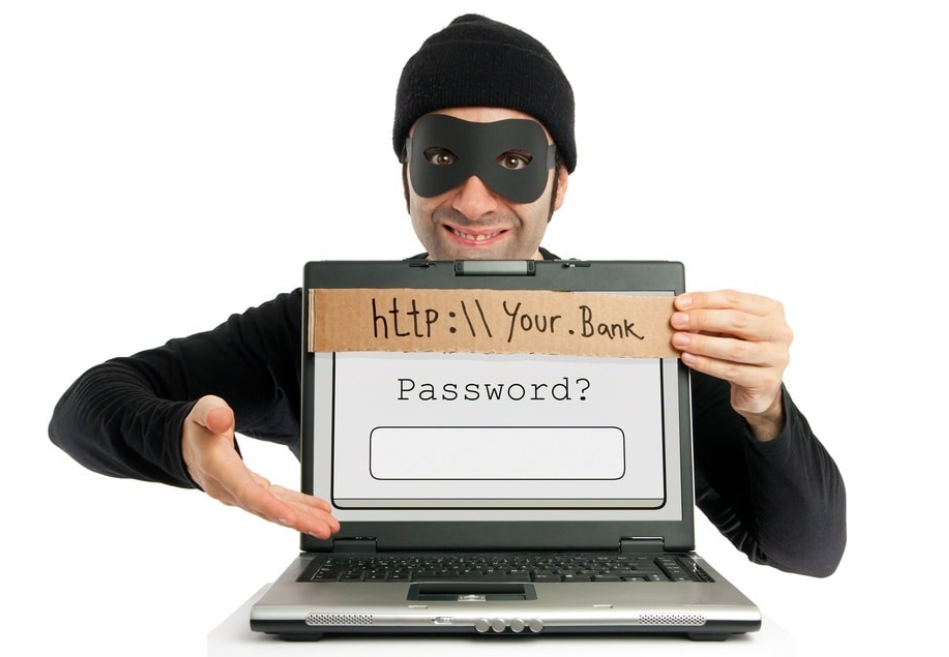

" There are several ways by which cybercriminals can reach you. In technical terms, its called 'Social Engineering.'
  1. By Text
  2. By Phone-Calls
  3. By E-mail

Whenever you receive such suspicious calls or messages or e-mails, don't trust these kinds of stuff.

What steps should be taken when bank fraud occur?

  1. Contact cyber cell nearest you or Local crime branch and register a complaint.
  2. The victim should go to the bank and fill up the dispute form within three days. It is very important.

Here I am sharing some useful and essential information.

  1. If any credit card related fraud occurs and you have insurance, there are 100% refund chances.
  2. If you have used net banking or any bank to bank transactions happen in which bank on both the side is same, then the transaction can be stopped by the authorities, and money can be refunded.
  3. In some cases, mistake is made by the bank. Sometime it happens that you are not sharing OTP; still, money is debited from your account; in this case, customers should go to the bank and fill up a dispute form within three days.
  4. When any debit card fraud occurs, there are minimal chances of refund money. So be careful before entering your debit card details on the internet.
  5. When a customer shares any OTP to any fraudster, it is not the bank's responsibility, so we can not blame bank.

Comments

  1. Very nicely explained and very useful for common people who don't know about such information

    ReplyDelete
  2. Great information. Very useful in these times where cybercrime is the prime way for fraud activities.

    ReplyDelete

Post a Comment

Please do not enter any spam link here.

Popular posts from this blog

Master Kubernetes: Architecture, Commands, and Real-World Applications

Kubernetes Basics for DevOps & DevSecOps Kubernetes Basics for DevSecOps 1. Introduction to Kubernetes In the early days of deploying applications, we used to run them directly on physical servers. This approach was inflexible and inefficient — if one application needed more resources, it could starve others. Virtual machines (VMs) improved this by isolating workloads, but they were heavy and took time to provision. Then came containers. Containers are lightweight, portable, and can run anywhere — your laptop, a server in the cloud, or even a Raspberry Pi. But managing containers at scale quickly becomes a nightmare. Imagine you have 500 containers — how do you start them, stop them, update them, and ensure they recover from failures automatically? Enter Kubernetes — an open-source container orchestration platform that automates deployment, scaling, and management of containerized applications. It was originally developed by Google and i...

How to Protect ourselves from Online Banking frauds: Tips & Ticks

Awareness is necessity Nowadays, Online banking frauds are increasing day by day, and awareness about Internet use, Internet Security and cyber crime can be helpful in mitigating cyber crime. So here I am sharing some security guidelines you should follow during bank transactions as given by Delhi Police. Safe Bank Transaction Tips: Always do banking transactions on self-computer and mobile devices, installed with original operating system. Use the latest Antivirus software in order to detect and stay protected from most of the threats and vulnerabilities in the applications installed on computers. Never disclose ATM PIN codes and OTP “One Time Password” sent by the bank through SMS or on Email with anyone, even if he is an employee at the bank, as bank never ask you about the codes of your account or any credit card details. Avoid using public computers for making banking transactions. Avoid electronic banking transactions if you are connected to the Internet via...

Deep Dive into Cybersecurity: Security+ Level Knowledge Without the Certificate

📚 My Cybersecurity Learning Journey Key Topics from a 17-Hour Security+ Course 🔹 CIA Triad Explained Confidentiality: Ensuring that sensitive data is only accessed by authorized users. This is often achieved using encryption and access controls. Integrity: Ensuring data is accurate and untampered. Techniques like hashing, checksums, and digital signatures help validate that data hasn't been altered. Availability: Making sure systems and data are accessible when needed. Achieved through backups, redundancy, load balancing, and fault-tolerant design. 🔹 Types of Threats Malware: Includes viruses, ransomware, worms, and trojans that compromise devices or networks. Social Engineering: Manipulating users into giving up confidential info. Example: Phishing emails. Insider Threats: Employees or contractors misusing access, accidentally or intentionally. Advanced Persistent Threats (APTs): Long-term targeted attacks, often by well-funded threat actors. Zero...

Protecting Yourself from Vishing & Smishing frauds in India

Awareness is necessity Vishing & Smishing fraud is a type of scam that involves the use of text messages and Voice calls to trick individuals into revealing sensitive personal information such as bank account details, passwords, and credit card numbers. This type of fraud has become increasingly common in India, with many people falling victim to these scams every year. In this blog, we will discuss what Vishing & Smishing frauds are, how it works, and what steps you can take to prevent falling victim to these scams. What is Vishing & Smishing Fraud? Vishing & Smishing fraud is a type of social engineering scam that involves the use of text messages and Voice calls to trick individuals into revealing sensitive personal information. The term "vishing" is a combination of "voice" and "phishing," which refers to the use of voice calls to trick individuals into revealing personal information. In "Smishing" fraud, scammers use t...

Job Scams / Telegram Scams in India

Awareness is necessity Job scams and telegram scams have become a rampant issue in India, with many unsuspecting individuals falling victim to these fraudulent activities. These scams not only cause financial loss but also result in emotional distress and a loss of trust in online platforms. In this blog, we will discuss the ongoing job scam and telegram scam in India, and provide some tips on how to identify and avoid falling prey to these scams. The job scam in India has been on the rise, with scammers posing as recruiters or employers offering lucrative job opportunities. These scammers often target job seekers who are desperate for employment and are willing to take any opportunity that comes their way. They use fake job postings, promising high salaries and attractive benefits to lure in their victims. Once the victim is hooked, they are asked to pay a fee for processing their application or for other reasons. In reality, there is no job, and the victim en...

Docker 101: Understanding Containers from Scratch

Docker Basics and Docker Compose Explained Docker Through My Lens Introduction to Docker Docker is a platform designed to create, deploy, and run applications inside containers. Containers bundle an application with all its dependencies, ensuring consistency across different environments. Unlike virtual machines, containers are lightweight and share the host operating system kernel, making them efficient for development, testing, and deployment. Basic Docker Commands To start using Docker, here are some essential commands: docker run [image] – Runs a container from the specified image. docker ps – Lists running containers. docker ps -a – Lists all containers, including stopped ones. docker stop [container_id] – Stops a running container. docker rm [container_id] – Removes a container. docker images – Lists available Docker images. docker rmi [image_id] – Removes a Docker image. Creating Your First Docker Container You can run ...